Stop guessing for now. Hardware wallets cap the number of wrong PIN entries, and at the limit the device resets itself and erases its data. Whether you get the wallet back comes down to your seed phrase backup. Ledger Academy puts it plainly: as long as you have stored your secret recovery phrase securely, you can still restore, access and control your accounts.
If the device says the PIN is invalid, it may only have been a slip of the finger, and you can enter it again. Before you do, find out how many tries your model has left.
How many more tries each brand allows after a forgotten PIN
| Brand / model | Wrong-entry limit | What happens at the limit | PIN length |
|---|---|---|---|
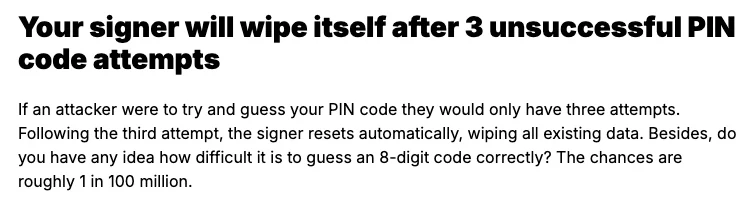
| Ledger | 3 attempts | Resets automatically after the third attempt, wiping all existing data | 4 to 8 digits |
| Trezor Safe 7 | 10 attempts | Resets automatically; the wallet is erased | At least 4 digits recommended, up to 50 |
| Trezor Safe 5, Safe 3 | 16 attempts | Resets automatically; the wallet is erased | At least 4 digits recommended, up to 50 |
| Trezor Model T, Model One | 16 attempts | Resets automatically; the wallet is erased | At least 4 digits recommended, up to 50 |
| OneKey hardware wallets | The 10th (or 5th) attempt, depending on model and firmware version | All backups erased and factory settings restored | Not stated on the official page |
| OneKey Classic series | 10 attempts | Factory reset; all stored data erased | Not stated on the official page |
Source for the Trezor rows: PIN protection on Trezor devices.
OneKey's help article on forgetting the PIN on a OneKey hardware wallet gives the 10th (or 5th) attempt, depending on model and firmware version; a separate PIN guide for the Classic series states 10. If you're unsure, count on 5.
These limits exist to keep other people out. If your hardware wallet is stolen, the job is to move the coins before the thief starts trying PINs, and the steps come in a different order from a forgotten PIN.
Gather the complete seed phrase backup before you wipe anything
Make sure you have a safe offline wallet backup in hand before wiping the device; that is also the order Trezor gives for a forgotten PIN. Keep to the same order with any other brand: a wipe erases the wallet on the device, so leave the device alone until the backup is found.
- Every word, with none missing. On first setup a Ledger asks you to write down 24 words in order. However many words your backup recorded back then, you need all of them now, in the right order.
- If you set a passphrase, find that too. It is not part of the seed phrase; what it is and what it protects is explained in the glossary entry Passphrase.
- Look at the backup, but don't photograph it or type it into a phone or computer. For safer ways to put it away afterwards, compare the ways to store a seed phrase.
When you search for something like “forgot Ledger PIN”, watch out for pages that ask you to type your seed phrase into a website, and for people who say they are support and offer help unprompted. Ledger will never ask for the 24 words of your recovery phrase, and you shouldn't share them with anyone. Anyone asking for your seed phrase to “reset your PIN” is running the same play as the fake Ledger emails.
Once the device is wiped, restore from the seed phrase and set a new PIN
- Trezor: wipe the device in Trezor Suite (the Safe 7, Safe 5, Safe 3, Model T and Model One each have their own wipe guide), then recover from your wallet backup and set a new PIN during the recovery.
- Ledger: after the third wrong attempt the device resets automatically, wiping all existing data. Ledger Academy's steps for setting up a second device start with choosing Restore while initializing the device and entering your existing wallet's recovery phrase, and the onboarding process prompts you to set a PIN.
- OneKey: after the device resets, import the recovery phrase to restore the wallet, then set a new PIN.
What's left if the seed phrase is missing too?
Without the seed phrase that belongs to the device, the crypto really is gone.
Until the device is wiped, the wallet is still inside it and the right PIN still opens it; once it is wiped, there is no getting it back without a backup. Don't spend the remaining tries on guesses, and enter a combination only when you are genuinely confident of it. If it does open, first create a new wallet with a complete backup and move the coins over.
Details of entering a PIN and restoring from the seed phrase
On a Trezor, the digits move every time I enter the PIN. Is something wrong with the device?
No. On the Safe 7, Safe 5 and Model T you enter the PIN on the touchscreen, and the digit layout is shuffled every time; on the Safe 7 this is to stop anyone guessing the PIN from a pattern. The Model One instead shows a grid without numbers on the computer screen, while the positions of the digits appear on the device's own screen, randomized each time. Just tap the positions the device shows.
I'm afraid I'll forget the new PIN too. Can I write it down?
If you use a Trezor, you can write the PIN on your wallet backup card or recovery phrase card, as long as that card always stays offline and out of other people's sight. Also avoid repeated or sequential digits, and personal numbers such as birthdays or years. With other brands, check that maker's own guidance on whether and how to write it down.
After restoring from the seed phrase, are my coins and receiving addresses the same as before?
Your coins have been on the blockchain all along and the device only stores the private keys, so the same seed phrase restores the same accounts; one set of words restores all the accounts you have ever created (and will create). After restoring, check the receiving addresses and balances on the chains you use most, and carry on only once they match.