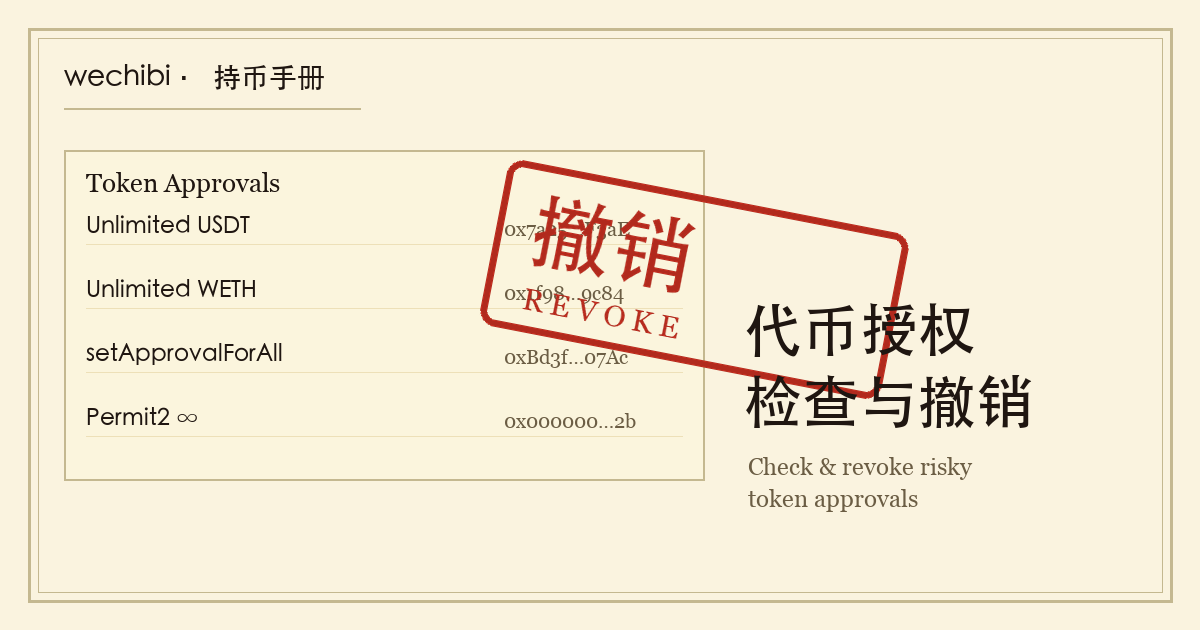
What is a token approval
On a chain like Ethereum, tokens such as USDT and USDC are each their own contract keeping its own ledger. When you want to swap USDT for ETH on a DEX like Uniswap, you hit a wall — Uniswap's contract can't just pull USDT out of your account, because it doesn't have permission to.
So the ERC-20 standard splits the action in two. First you call the token contract's approve(spender, amount), which tells the USDT contract "I allow this Uniswap address to move up to this much USDT from my account." Then, when Uniswap runs the swap, it calls transferFrom to pull the tokens. The first step is the approval; the second is the actual spend.
DEX swaps, deposits into lending protocols and bridging tokens across chains almost all have an approve underneath. Two things about it need your attention: the amount and how long it stays valid.
Why unlimited approvals are dangerous
When a dapp pops up an approve request, the amount it proposes is often unlimited instead of the small sum you are swapping. ethereum.org's guide to revoking token access explains why: projects do this so that you do not have to sign another approve for each later transaction. The price is that the spender contract gets control over your entire balance of that token, including anything you send in later, even after you have withdrawn your funds from that platform.
Then there is how long it lasts. The same guide states that token approvals do not expire. Suppose you gave a protocol an unlimited approval three years ago for a single swap: it is still in force today. If that contract is ever compromised, or was a phishing contract from the start, the attacker only has to call transferFrom once and your balance of that token is gone. No private key is needed, and nothing more has to be signed by you.
An exploited approval and a leaked private key are different problems. A leaked key means the whole address is lost. An exploited approval costs you the approved token, up to the approved amount. The response differs too: a bad approval is fixed by revoking, while revoking does nothing if the private key or seed phrase has leaked. See what to do if a private key or seed phrase leaks.
Losing tokens without leaking a seed phrase: which approvals scammers go after
One family of wallet scams is not after your private key. It gets you to sign an approval yourself, or a signature that has the same effect. If you lost tokens without ever telling anyone your seed phrase, look in this direction first. All four of the following signatures can be used this way:
- setApprovalForAll: the approve-all switch for NFTs. Signing it hands every NFT you hold under that contract to the other party.
- Permit (EIP-2612) signatures: the page looks like an ordinary swap, but what you are asked to sign is an off-chain approval.
- Bulk listing signatures on NFT marketplaces: MetaMask's Help Center page Signature phishing gives the example of an imitation of the Blur listing flow, where the signed message lets the other party take every NFT in the account.
- Permit2 signatures: named on the same page and covered separately below.
What they have in common: at the moment of signing, the prompt either shows structured data you cannot read or is dressed up as a normal action. Two things defend against them: seeing what you are approving before you sign, and clearing out surplus approvals afterwards. The first is covered in MetaMask security settings and the guide to crypto phishing scams. The second is the checking and revoking described below.
How to see which approvals you have given
Approvals are public on-chain data, so you can look them up by address instead of relying on memory. ethereum.org's guide lists Etherscan, Blockscout, Revoke.cash, Unrekt and EverRevoke as tools. Two of them are covered below, along with MetaMask's own entry point.
Etherscan's Token Approval Checker
The page is etherscan.io/tokenapprovalchecker, also reachable through Token Approvals in the More menu at the top of Etherscan. Enter the wallet address, pick the token type (ERC20, ERC721 or ERC1155) and turn on Show all approvals to see what this address has approved on Ethereum Mainnet. These steps come from Revoke.cash's tutorial on revoking approvals, which covers the Etherscan route as well.
Block explorers are separate for each chain. Etherscan sees only Ethereum Mainnet. Approvals on BNB Chain are on the page of the same name on BscScan, and those on Polygon are on Polygonscan. Check every chain you have used.
Revoke.cash
Revoke.cash puts many chains in one interface. Following its own tutorial: enter a wallet address or ENS name in the search bar (or connect a wallet), choose the network, and once the approval list loads you can sort it, filter it or search by the spender's address. If you suspect you recently signed a malicious approval, it suggests sorting from newest to oldest so the latest ones come first.
Checking approvals takes only an address. You do not need to connect a wallet or sign anything. Only the revoke step requires connecting the wallet, signing and paying gas. I suggest looking first, deciding what to revoke, and only then connecting the wallet. When you open one of these tools, type the domain yourself or use a bookmark. Do not click through from a search ad, a social media post or a link in a direct message, which is how fake revoke tools draw people in.
The spending caps page in MetaMask Portfolio
If you use MetaMask, its guide to revoking approvals describes a built-in route: the spending caps page in MetaMask Portfolio, where you can view approvals and revoke them directly on Ethereum Mainnet, Polygon and BNB Chain. It covers fewer chains than Revoke.cash. I suggest using it for a quick look day to day, and for a thorough cleanup checking with both a block explorer and Revoke.cash and comparing the results.
How to revoke an approval
One point first: revoking is also an on-chain transaction and costs gas. It sends a transaction that rewrites the allowance recorded in the token contract, and it is not a setting that takes effect when you click something on a website. So before revoking, make sure the wallet holds a little of the chain's native coin (ETH, BNB and so on) for the network fee. The four steps below follow ethereum.org's guide to revoking token access, and the flow is much the same in every tool:
- Connect your wallet and set the wallet and the tool to the same chain. The tool lists only the approvals on the network currently selected. To clean up several chains, switch networks and handle each one in turn.
- Pick what to revoke from the list. Three kinds come first: unlimited allowances, ones you stopped using long ago, and contracts you cannot identify. ethereum.org notes that there is no harm in revoking all of them; you will simply have to approve again the next time you use that contract.
- Click Revoke and confirm in the wallet. The wallet shows a transaction request. Before signing, read what it is going to do: a normal revoke sets the allowance to 0, or sets setApprovalForAll back to false.
- Pay the network fee, wait for confirmation, then refresh. ethereum.org says this takes from a minute to several minutes depending on the network. After the transaction confirms, refresh the tool and check that the approval is no longer in the list.
The two kinds of approval are revoked differently. An ERC-20 approval (USDT, USDC and the like) is an amount, so revoking means setting it to 0. You can also lower it to a small sufficient amount instead of zero; in Revoke.cash, click the pencil icon next to the approval to edit it. NFTs (ERC-721, ERC-1155) usually use setApprovalForAll, which is a switch: fully on or fully off. Revoking sets it back to false, and there is no amount to lower.
How to confirm everything is revoked
After a round of revoking, do four more things:
- Recheck with a different tool. If you revoked through Revoke.cash, look again in the Token Approval Checker of that chain's block explorer, and the other way round. A chain counts as clean only when neither shows the approval.
- Check every chain you have used. The same address has separate approvals on Ethereum, Arbitrum, BNB Chain and Polygon. A clean mainnet says nothing about the other chains.
- Look at both layers of Permit2. The approval to the Permit2 contract and the allowances handed out inside Permit2 are two separate places; see the next section.
- Go back over each transaction you signed. Open those transactions in a block explorer and confirm that the call was
approvewith an amount of 0, orsetApprovalForAllwith the parameter false.
One scam specifically impersonates revoke tools: a post or direct message says you have received a suspicious airdrop and must go to some website right away to revoke approvals. Signs to look for: the URL is not the official domain you typed in yourself; the page marks a long list of approvals in red and presses you to act immediately; the wallet prompt asks you to sign setApprovalForAll with the parameter true, an unlimited amount, or a Permit signature. Each of those grants a new approval and revokes nothing, so reject them all. Also, an unfamiliar token that someone airdropped to you has never been approved by you, so there is nothing to revoke. Leave it where it is.
How to check Permit signatures and Permit2 allowances
The approve described above is an on-chain approval. It is a transaction in its own right and stays in your history, so you can find it. Permit (EIP-2612) and Uniswap's Permit2 use off-chain signatures, and checking them works differently.
Can a suspicious Permit signature still be cancelled?
Permit lets you sign an approval message off-chain instead of first sending an approve transaction. According to Revoke.cash's explanation of Permit signatures, the approval is activated only when whoever holds the signature submits it on-chain. Until then it appears neither in your transaction history nor in your approval list, and scams rely on exactly that.
The same page describes what to do at two stages:
- Before it is activated: you may be able to cancel the signature first, from the Signatures tab on your Revoke.cash account page. Revoke.cash also notes that this is usually hard to do, because scammers tend to activate the signature as quickly as they can.
- After it is activated: it is an ordinary approval, appears in the approval list and is revoked the usual way.
So if you suspect you signed a bad Permit, do two things together: deal with it right away in the Signatures tab and the approval list, and move the affected token from this address to another address that has not signed that message. MetaMask's Signature phishing page points the same way: check and revoke the permission, and transfer any at-risk tokens to a different account. Even if the tokens are already gone by the time you notice, Revoke.cash still recommends revoking that approval, because it could be used again in the future.
Permit2 has two layers of approval
Permit2 is an approval contract built by the Uniswap team. According to Revoke.cash's explanation of Permit2, it has two layers:
- Layer one: you give the Permit2 contract itself a one-time unlimited on-chain approve. This is an ordinary on-chain approval, visible in block explorers and in Revoke.cash. Revoke.cash's advice is to revoke it once you no longer use it.
- Layer two: Permit2 then hands out allowances to individual apps. Every approval at this layer carries an expiration time and lapses automatically when it is reached. Where the expiration is set too far in the future, you can revoke or edit it manually in Revoke.cash.
Check both layers. First see whether there is an approval to the Permit2 contract and whether you still need it. Then go through the allowances handed out inside Permit2 and revoke the ones you cannot identify or that expire far in the future.
A Permit or Permit2 prompt shows a structured signature and does not look like a transfer. When the content includes words such as Permit, spender or allowance, read the spender's address, the amount and the expiration first, and reject the request if they do not match what you expect. For the cues MetaMask's confirmation screen gives you, see MetaMask security settings.
How to leave fewer approvals behind
Checking and revoking are after-the-fact fixes. The fewer approvals you leave behind, the less there is to clean up later. Some suggestions:
- Revoke when you are done. After trying a new protocol or doing a one-off mint, revoke the approval once the interaction is finished.
- Do not grant unlimited amounts. If the approval screen lets you edit the amount, give only what this transaction needs. For how to do that in MetaMask, see how to lower an unlimited amount in the approval prompt.
- Review regularly. MetaMask's Help Center gives once a month as an example; an address with little on-chain activity can go longer. Each time, clear out the unlimited, the long-unused and the unrecognized.
- Keep large funds on an address that never connects to dapps. Hold your main assets on an address that connects to no dapp at all, and use another address with a small balance for everyday interaction. If the small address signs a bad approval, the main assets are unaffected. For how wallets are classified, see the types of crypto wallets.
- Read before you sign. Read the spender and the amount before signing. No tool can do that step for you.
Does revoking cost money? Common misconceptions
Is revoking free? No. It is an on-chain transaction and costs gas. So there is no need to revoke every approval in your history: start with the unlimited ones, the ones you no longer use and the ones of unknown origin. A small allowance to a protocol you use all the time can stay, which saves the gas of approving again and again.
Does having an approval mean I have already been robbed? No. An approval means the spender could move your tokens, which is different from having moved them. If you turn up a pile of unlimited approvals, rank them by risk and start with the most dangerous. Something goes wrong only if the contract is malicious or gets compromised.
Is one revoke enough for good? No. You revoked that one approval, and the next time you use the same protocol it will ask you to approve again. That is normal. Give it an amount that covers what you need.
Do old approvals disappear when I switch wallet apps? No. An approval is recorded against the address and has nothing to do with which app you open that address in. As long as the old address still holds tokens, those approvals remain valid, and you have to connect the address and revoke them.
Is disconnecting my wallet from a website the same as revoking? No. Both ethereum.org's guide and MetaMask's Help Center state that disconnecting does not remove token approvals. Only revoking does.
Will revoking affect my staking or lending positions in a protocol? ethereum.org's guide says it will not: revoking an approval does not end your staking, liquidity or lending positions, and you keep earning as before.
One last distinction: if the tokens were lost because the seed phrase or private key itself leaked, revoking approvals does not help. The order of steps for that case is in what to do if a private key or seed phrase leaks.